MY DIGITAL LIBRARY · WINDOWS
Do not list the books. Give them a room.
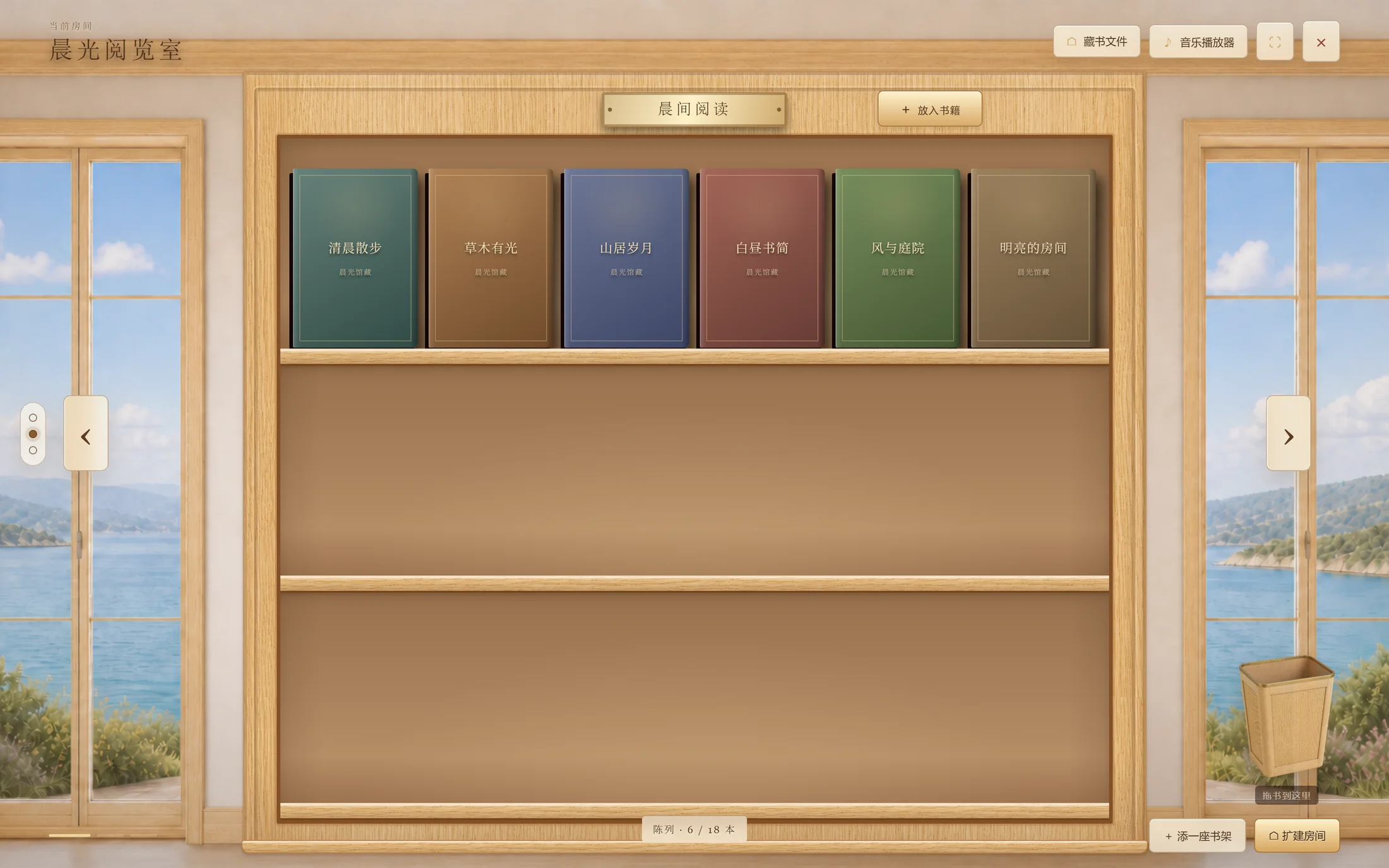
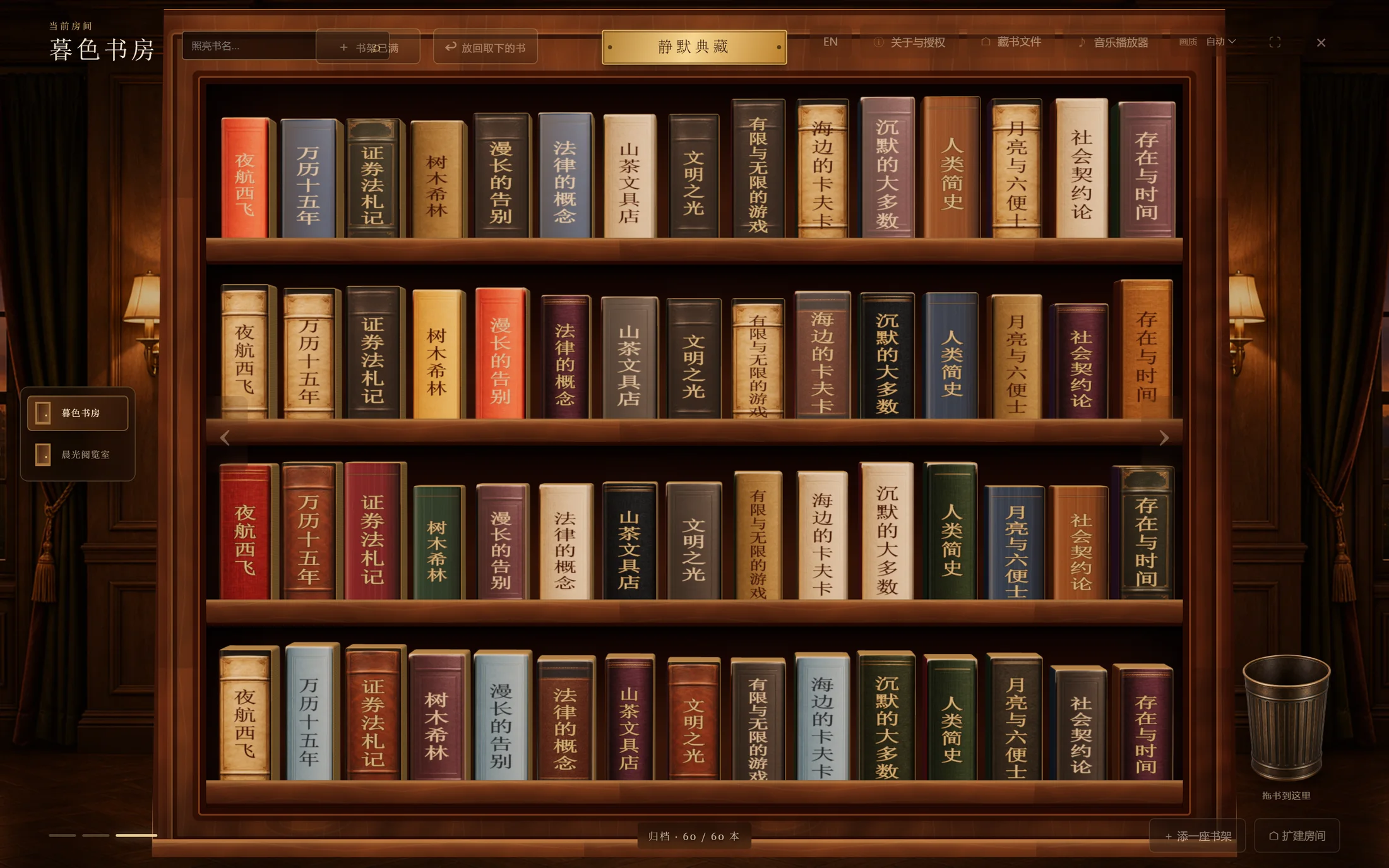
See local eBooks as a real collection: covers face outward on finite shelves, while larger collections can move into a compact archive of titled spines. See what you own before deciding what to read.
- 90-day full trial
- Machine-bound perpetual licence
- Local Windows app
Visual search before filters
If one glance is no longer enough, it is time to arrange the room.
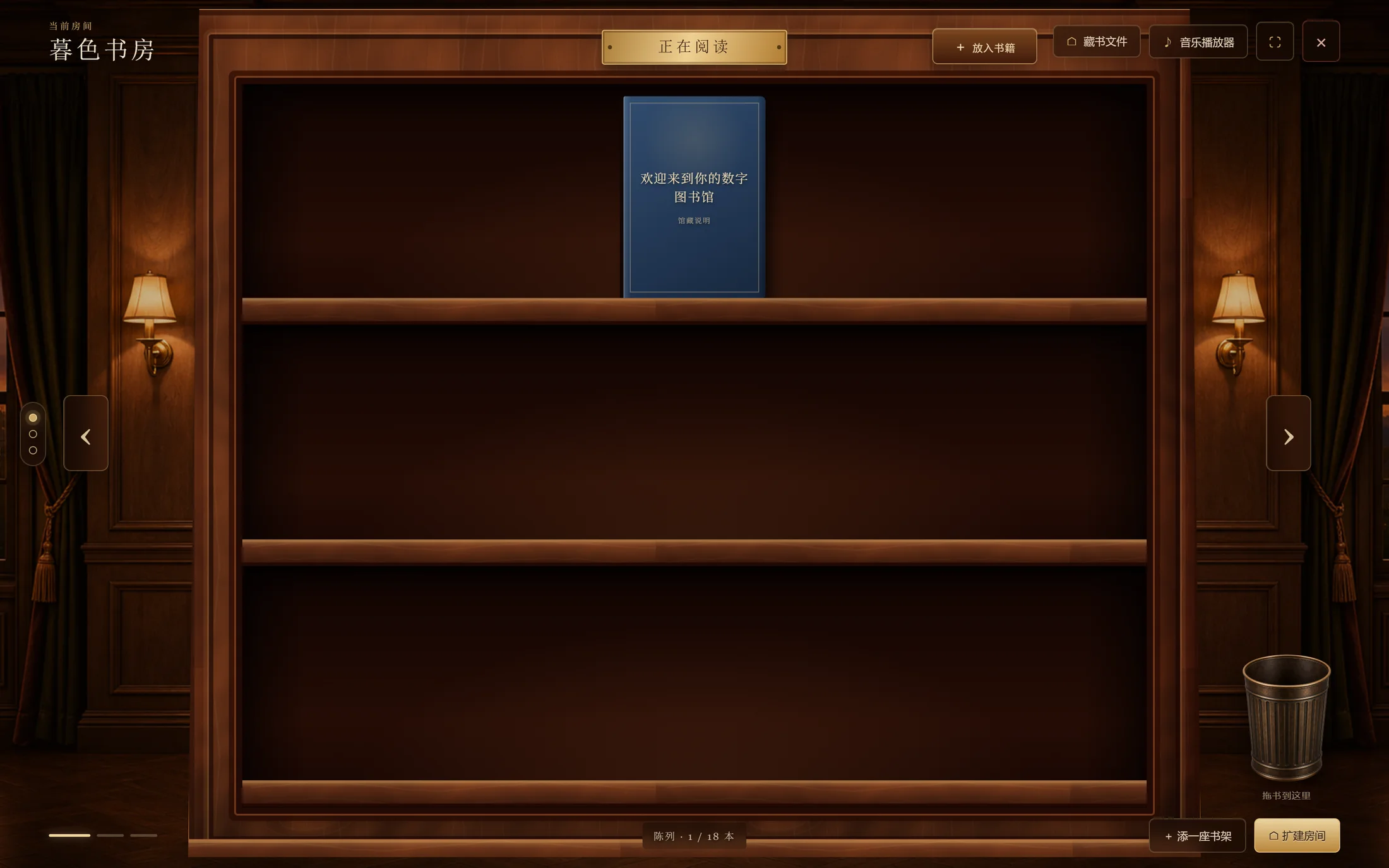
There is no infinite feed and no dependence on a pile of tags. A display shelf holds up to 18 books. When the visual field fills, archive the books or add another room for a different part of the collection.
Display shelf
Covers keep their proportions, pack naturally towards the centre and rest on the shelf.
Archive shelf
Books stand upright with editable, legible titles across varied spine materials.
A shelf is a folder
Adding, moving and removing books corresponds to real files on your computer.
The same collection in two reading climates
Clear by day. Settled by night.
The Daylight Reading Room surrounds pale oak with sea views and natural light. The Twilight Study uses walnut, wall lamps and a darker atmosphere. Rooms become spatial memory for a collection, not a cosmetic skin.
From cover wall to private archive
More books do not have to become a spreadsheet.
Archive mode stands books upright in leather, cloth, paper, parchment and hardcover bindings. Search by title or author appears only when browsing the spines is no longer enough.
- Editable book titles
- Adjustable spine font, weight and finish
- Stronger bindings favoured for thicker books
- Archive an entire display row in one action
The files remain yours
From placing a book to opening it in the reader you know.
- 01
Add books
Choose PDF, EPUB or another supported file. The app copies it into the real folder behind that shelf.
- 02
Arrange visually
Drag between rows and shelves, or drop a book into the physical bin to send it to the Windows Recycle Bin.
- 03
Double-click to read
There is no replacement reader. The book opens in the Windows application already associated with its format.
Common eBook and document formats
PDF · EPUB · MOBI · AZW3 · TXT · DOCX · ODT · RTF · HTML
Books and music stay on your computer.
The app does not upload or sync your library. You can also import MP3, WAV, M4A, AAC, FLAC, OGG and OPUS, keep a playlist, and choose sequential, repeat-one, repeat-all or shuffle playback.
Live with the library before deciding to keep it
A 90-day full trial. One activation, perpetual use.
The trial starts only when you choose Start Trial. A perpetual licence is bound to the activated computer, works offline and has no expiry; moving to another computer requires a new licence.
Get My Digital Library on GitHubYou will be taken to the GitHub project page.- 90 days with the complete feature set
- One licence for one computer
- No subscription and no expiry
- Trial expiry does not delete books or settings