MS TO DO EINK · ANDROID E-INK
A task list does not need endless scrolling.
An unofficial Microsoft To Do client designed for Android e-ink devices. It puts lists into a clear, still, page-based layout that is easier to live with on 7-inch and 10.3-inch readers.
- Android 6.0 or later
- Simplified / Traditional Chinese / English
- 7-inch and 10.3-inch layouts
Not a shrunken phone interface
Task work, arranged for the pace of e-ink.
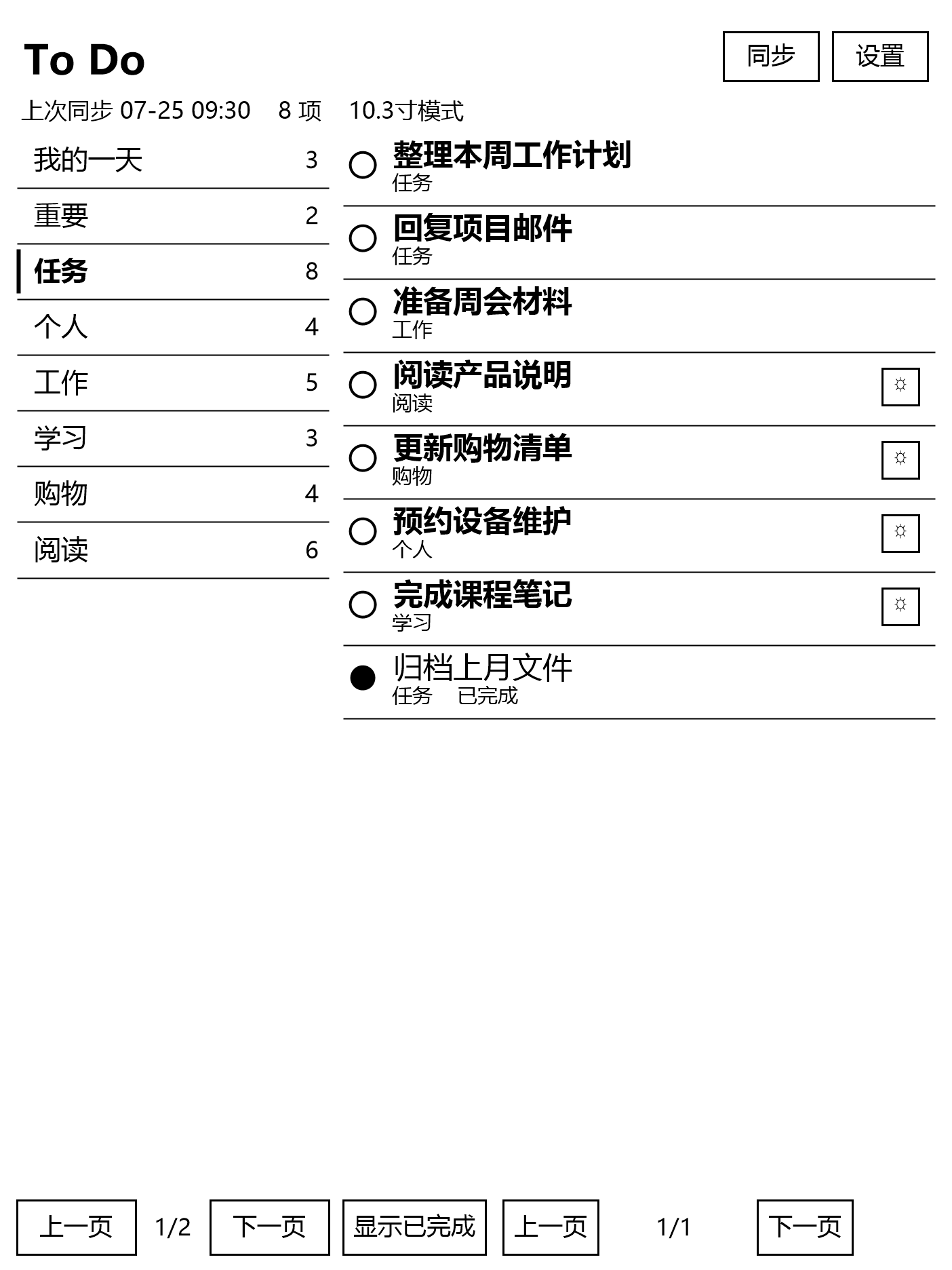
Endless scrolling, frequent animation and dense entry controls do not belong on an e-ink display. To Do Eink uses two panes, paged browsing and an explicit completion action for the tasks that suit the device.
Two-pane reading
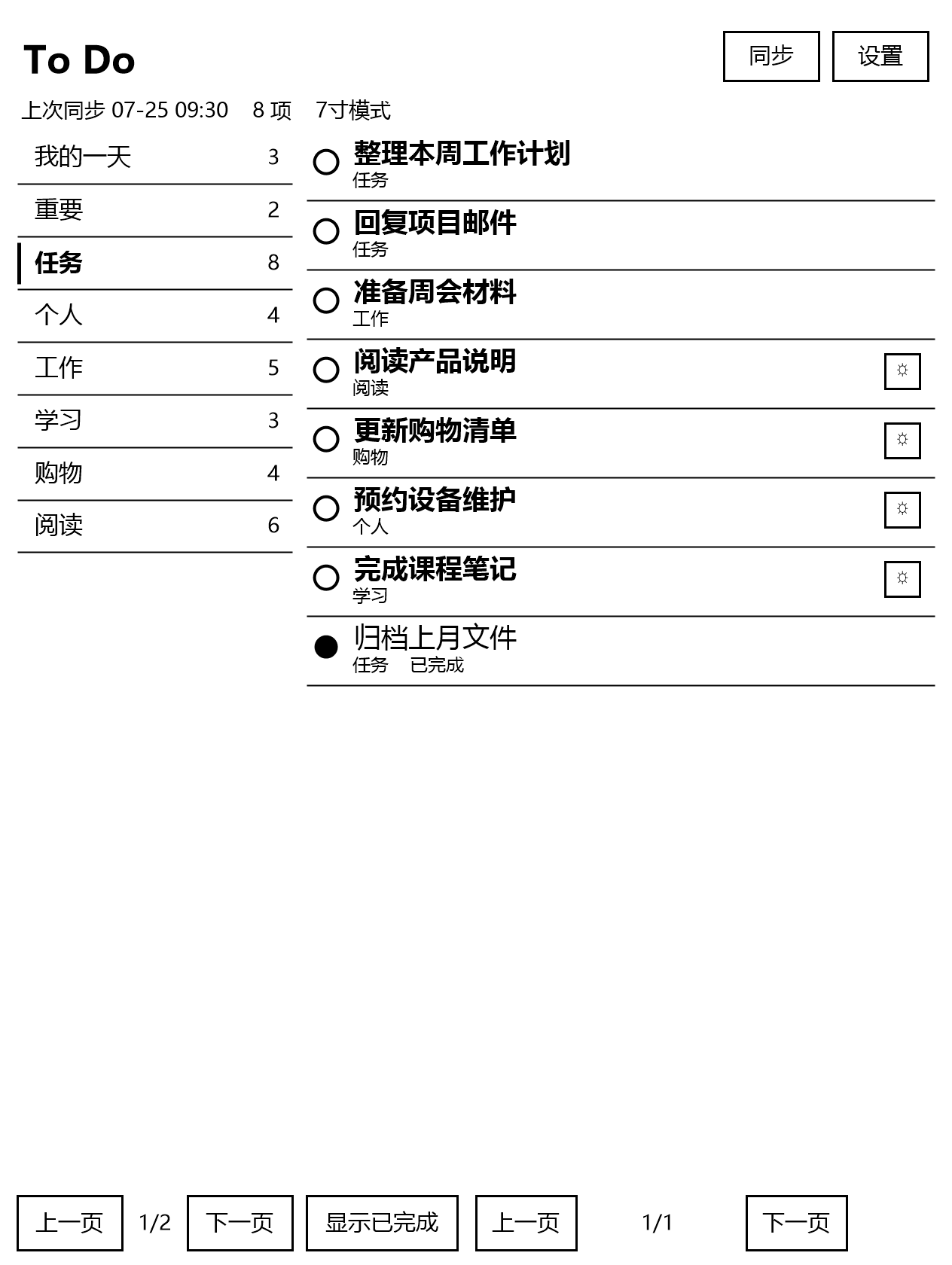
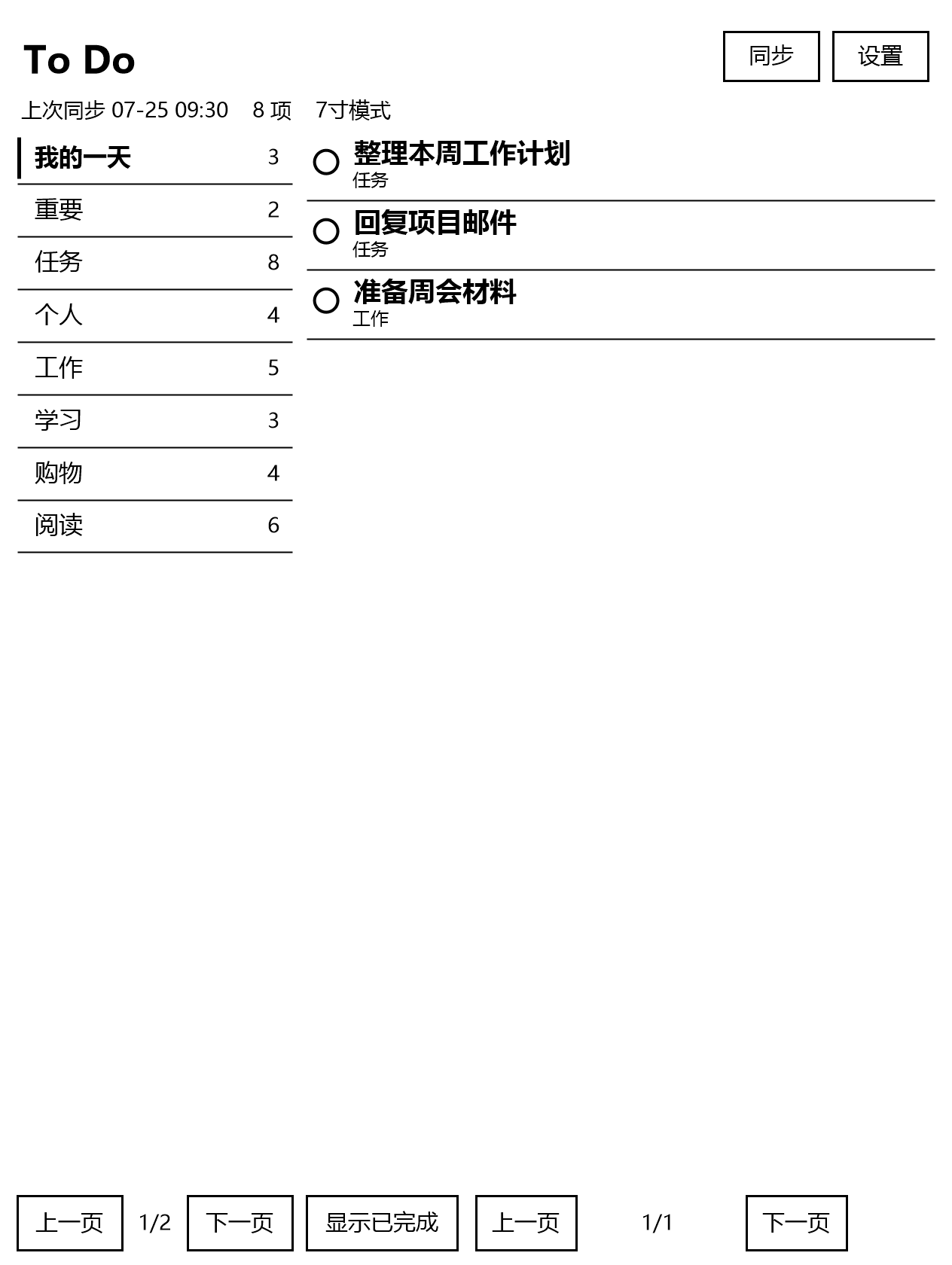
My Day, Important and task lists stay at left; the selected list has a clear reading field at right.
Page by page
Tasks and lists paginate independently instead of continuously scrolling. Hardware page keys, direction keys and on-screen buttons work together.
Complete directly
Tap the circle before a task or subtask to mark it complete and synchronise its status back to Microsoft To Do.
The interface as it exists
One task system, sized for the device.
The application chooses a 7-inch, 10.3-inch or general layout from the display size, resolution and DPI. Every screen here comes from the current application.
Your account stays where it belongs
No developer-operated server.
Sign-in takes place on Microsoft’s official page through OAuth 2.0 PKCE, while sync goes directly to Microsoft Graph. The app has no advertising, analytics SDK or telemetry and never asks for a Microsoft password.
- Microsoft Graph delegated permissions only for the required task workflow
- Refresh tokens and task cache remain in Android app-private storage
- Signing out clears local tokens, cache and My Day records
Deliberate limits
Made for reading, paging and completing — not full task editing.
- Creating, editing, deleting and moving tasks are not supported
- Attachments, reminders, recurrence rules and full note bodies are not shown
- My Day is local and does not sync to other Microsoft To Do clients
- Portrait-only for now; the GitHub build is a debug-signed APK, not a Google Play release
Put the day back into a page-by-page rhythm.
Visit the GitHub project for the latest package, installation steps and release notes.
Get To Do Eink on GitHubAn unofficial third-party client with no affiliation, authorisation or partnership with Microsoft.